Prism Robotics · Practical guide
Follow Franky's indoor drive
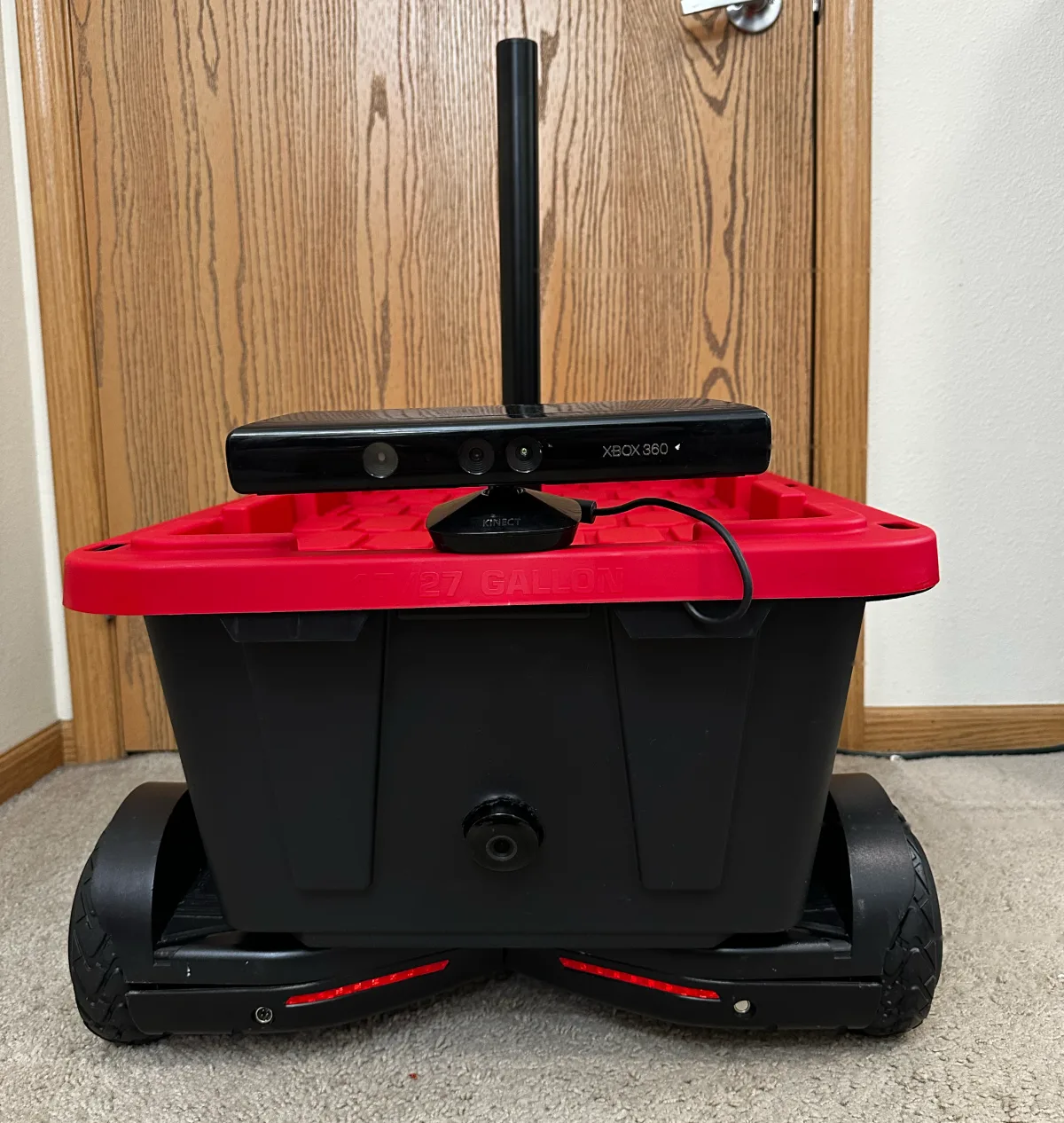
Drive a simulated crop row or watch an operator steer Franky, Prism’s first physical rover.
Before you start
Franky’s indoor recording. The player includes an English caption track.
Open the rover film
Select Franky takes the corridor in the Lab. Enable English captions in the player if you want the descriptions.
Follow one turn
Pause before a turn and look at the corridor edges. Continue playing to see the view change as the operator steers.
Compare the simulator
For a drive you can control, open Prism Sim and choose Manual. Compare how the virtual camera responds in the rendered field.
What to look for
You should be able to identify the remote-controlled indoor test and separately open the virtual driving experience.
Keep exploring
Franky takes the corridor
A person steers Franky, Prism’s rover prototype, through an indoor corridor using its cameras.
Prism Robotics
Explore the machines and simulations built at Prism Labs. Franky, the first Prism Rover prototype, combines a wheeled drive, onboard computing and cameras for remote operation.